


Steps to change the status of an assignment
-
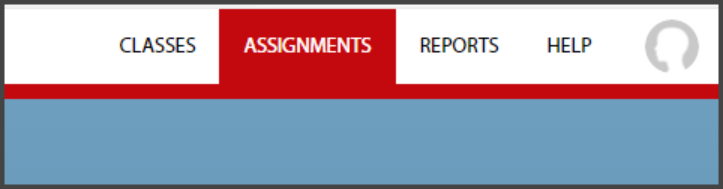
Log into G-W Ignite and select “Assignments” at the top of your Dashboard.
-
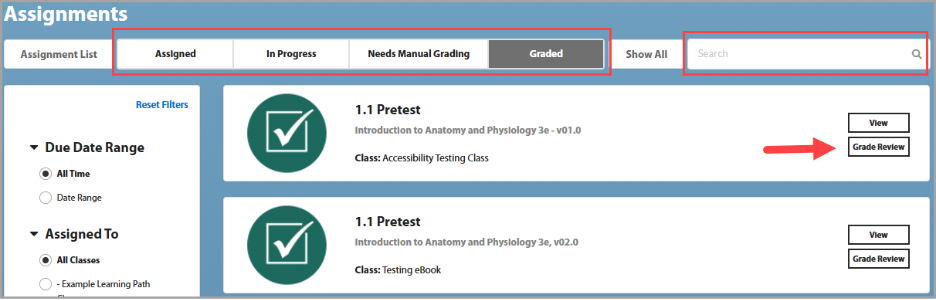
Select the Assignment you would like to change the status of and select “Grade Review”. You can use the search function to search for the assignment, or you can sort them by status using the bar directly under Assignments.
-
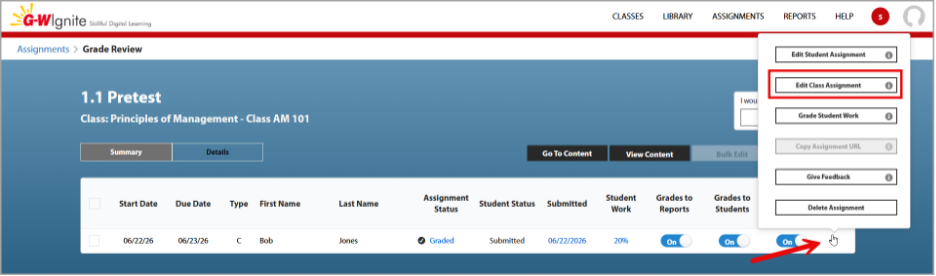
To change the status of the assignment for the entire class, select the 3 dots under actions and then select “Edit Class Assignment”.
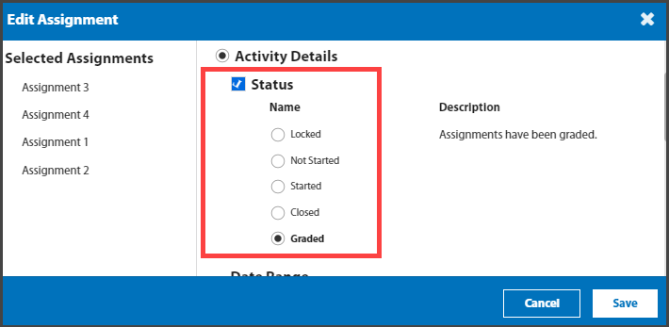
Select the checkbox next to Status, then select the new status, then “Save”. Your assignment status will change on the Summary Page.
-
To change the status of an assignment for an individual student, select the “Edit Student Assignment” button.
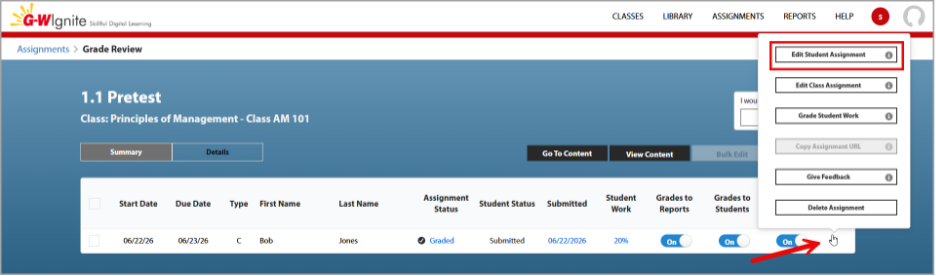
You can also change the status for an individual student by selecting the current status next to their name, then selecting the new status in the pop up.


