Moodle: How to Import a Common Cartridge

Last updated: Aug 03, 2026
1184
views

Common Cartridge Implementation with Moodle
The common cartridge (.imscc file) and integration pdf was sent to you through our ticket system. Please save those to your computer for ease of access.
1. Log into your Moodle account.
2. Create a new course or open a course you wish to import content into.
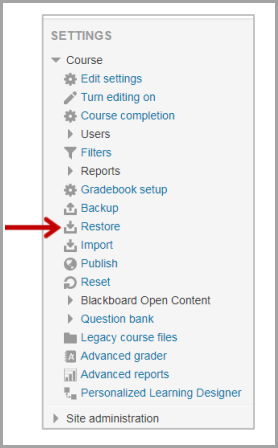
3. Under Settings, select "Restore".
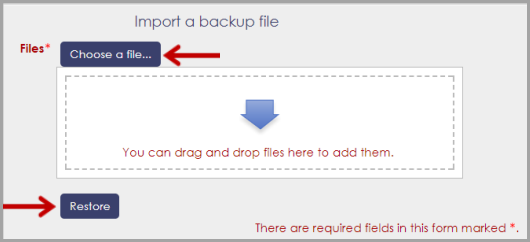
4. Select Choose File to upload the common cartridge (.imscc) file that was sent. And then select "Restore".
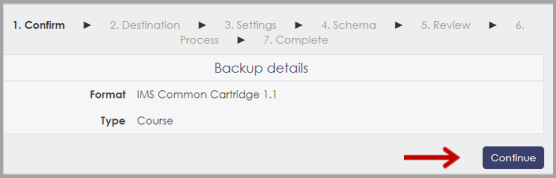
5. Select "Continue".
6. Scroll down to Restore into this Course, and then select "Continue".
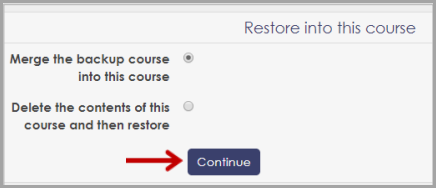
7. Select "Next".
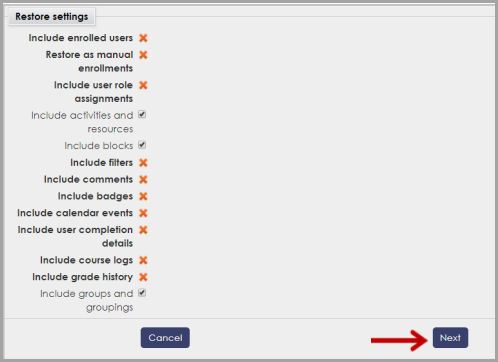
8. Select "Next".
9. Select "Perform restore".
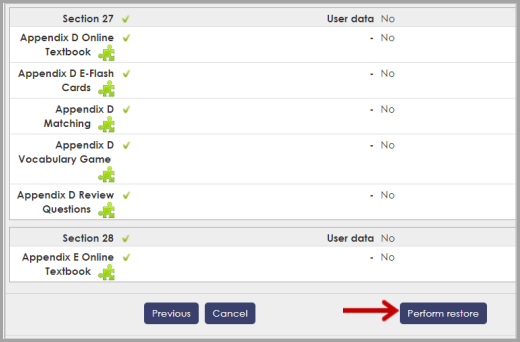
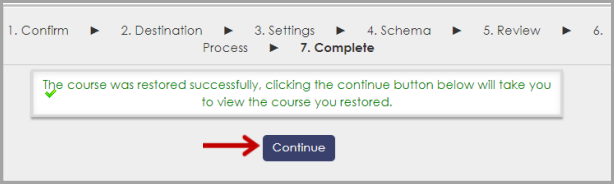
10. Select "Continue".