You are using an unsupported browser. Please update your browser to the latest version on or before July 31, 2020.
close
You are viewing the article in preview mode. It is not live at the moment.
Home > How-To Guides > Instructor/Admin > Learning Management System > Moodle > Moodle: Implementation Guidance > Moodle: How to activate an Instructor and Student License with an Access Key Code
Moodle: How to activate an Instructor and Student License with an Access Key Code
print icon
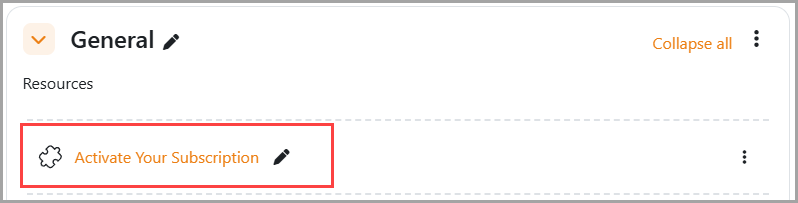
  1.  Select "Activate Your Subscription".
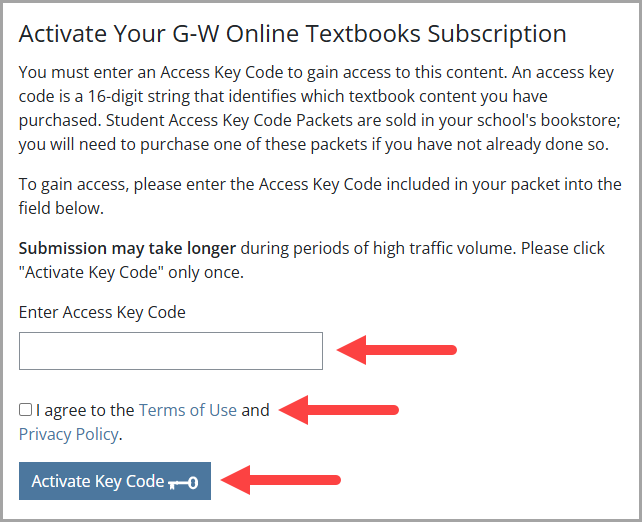
  2. On the next screen, you will be prompted to type in your access key code. Enter the Access Key Code, select the checkbox to agree to the Terms and Privacy Policy and select "Activate Key Code".
Feedback
0 out of 1 found this helpful

scroll to top icon