

G-W Assessment Moodle: Course Copy

Last updated: Oct 09, 2026
617
views

After copying a course in Moodle, you will have to reconnect the copied course and its assignments back to G-W Assessment. To do so, follow the steps below:
- Select the launch link (name may vary depending on how this is set up by your LMS admin) to connect your copied Moodle course with G-W Assessment.

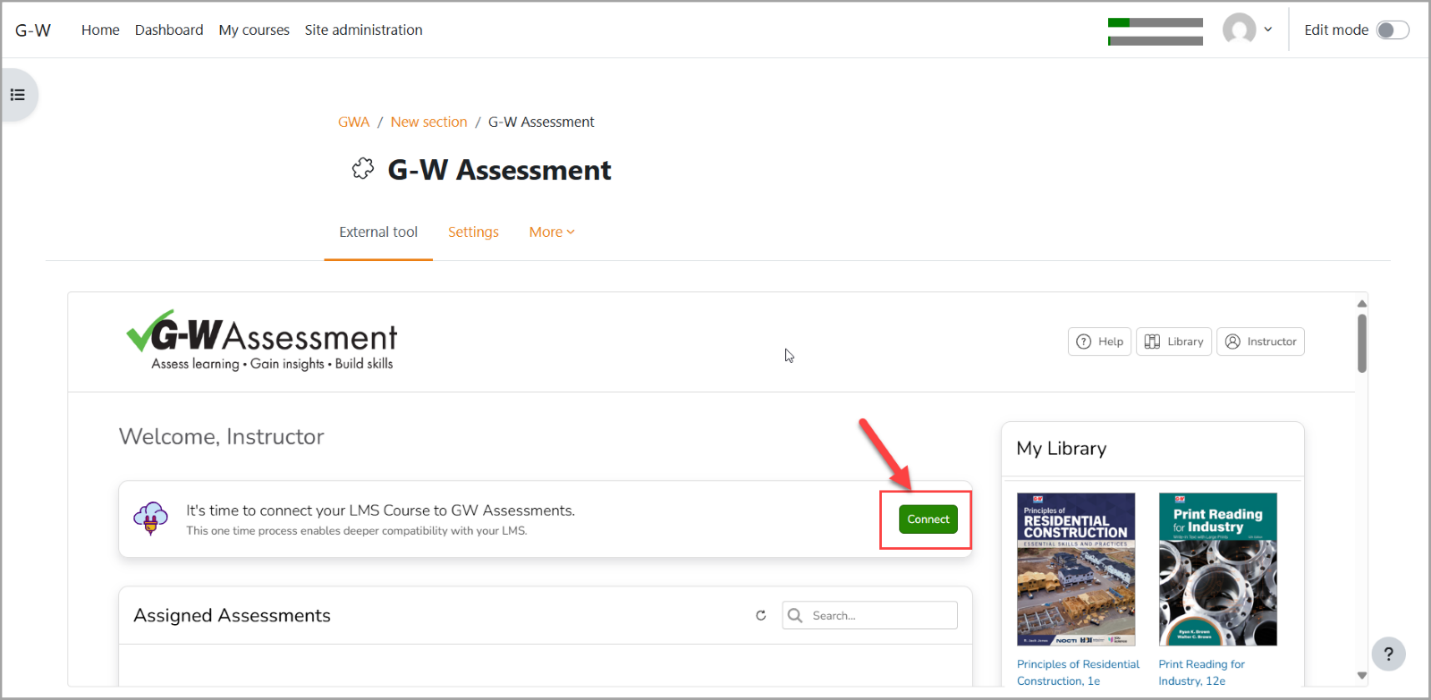
- In the It’s time to connect your LMS Course to GW Assessment section of the G-W Assessment homepage, select the "Connect" button.
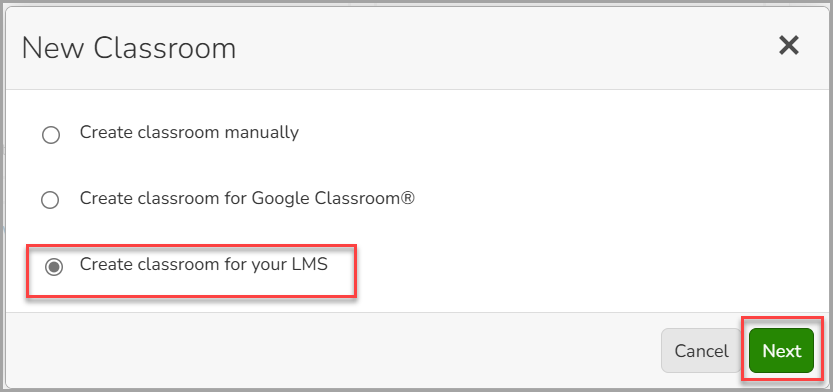
- In the "New Classroom" modal, select "Create classroom for your LMS" then select the "Next" button.
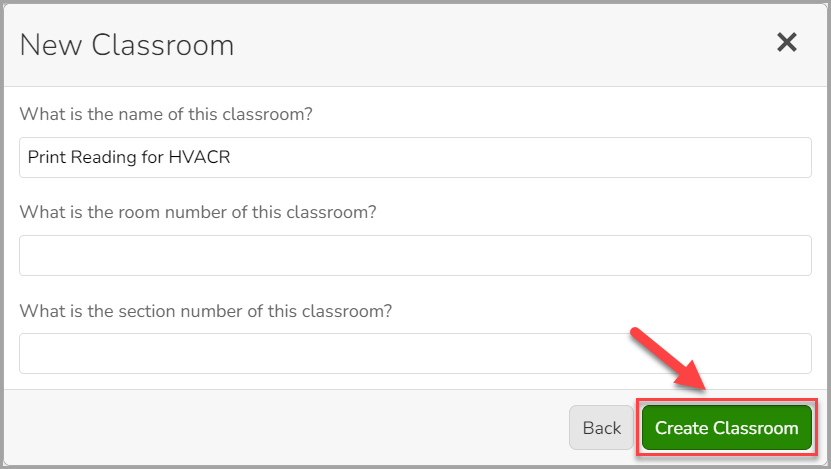
- Enter the name for your classroom then select the "Create Classroom" button. You can also add a room number and section or leave those fields blank.
- Once a course is copied in the LMS and connected to G-W Assessment, assessments are automatically activated. Students can access their assignments immediately if the available start and end date are open. For this reason, we recommend reviewing your assessment policy settings after the course copy is complete.

