

G-W Assessment Schoology: Edit Pre-Built Assessment

Last updated: Aug 03, 2026
826
views

Edit Pre-Built Assessment
To customize a pre-built assessment:
- Navigate to the Assessment page and locate the desired assessment. Select the "assessment" link.

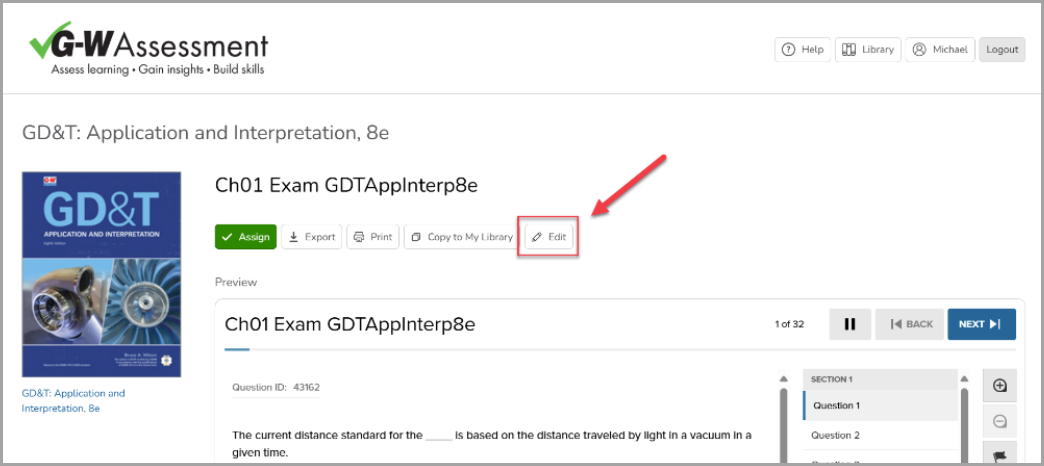
- Select the "Edit" button.
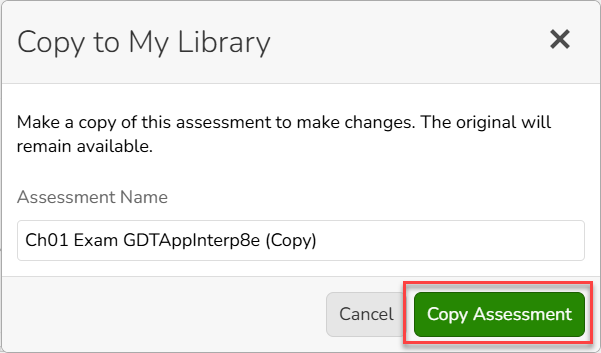
- Give the copied assessment a new, relevant title then select the "Copy Assessment" button.
-
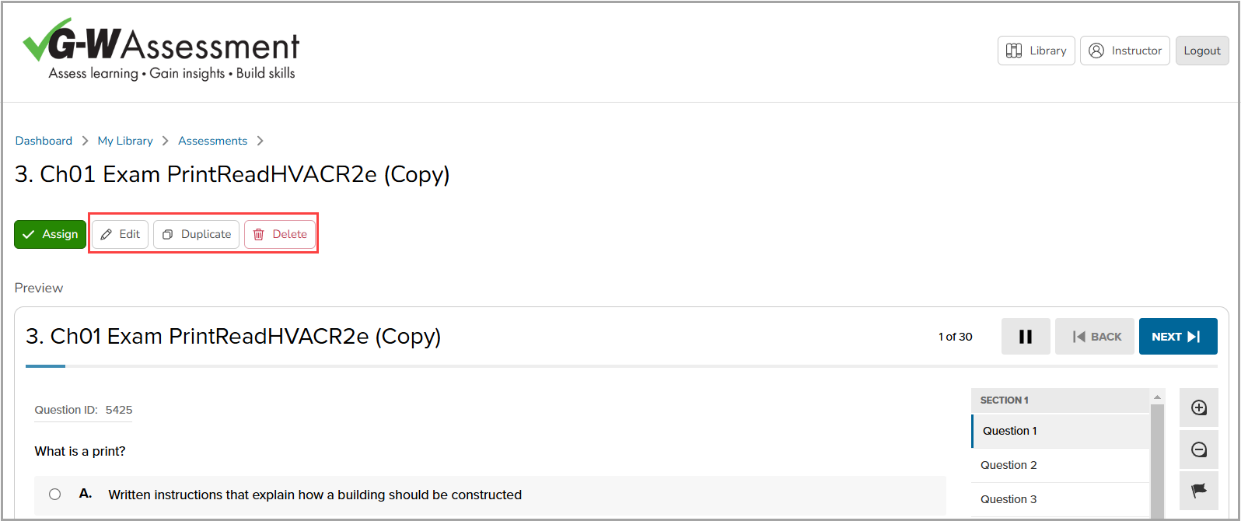
Once your assessment has been copied, you can:
-
Edit: Select the "Edit" button to open the assessment for editing.
-
Duplicate: Select "Duplicate" to create a copy of the assessment before editing.
-
Delete: Select "Delete" to delete this assessment.
-
-
Select "Edit" to modify the assessment.

