G-W Assessment Canvas: Connecting Your Canvas Course to G-W Assessment

Last updated: Jul 28, 2026
3003
views

Upon logging into Canvas, navigate to your respective course where G-W Assessment has been integrated by your LMS administrator.
Important Note: Only one instructor can connect to G-W Assessment per course. Co-teachers and multiple course instructors in a single G-W Assessment course are not currently supported.
- Select the "G-W Assessment" application (the name may vary) in the left navigation bar with your course.

- Select the "Connect" button on the It’s time to connect your LMS Course to GW Assessment section on your screen.

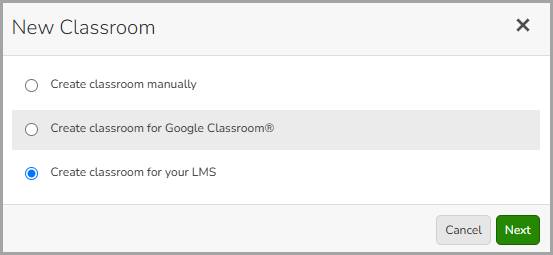
- In the New Classroom modal, select "Create classroom for your LMS" then select the "Next" button.
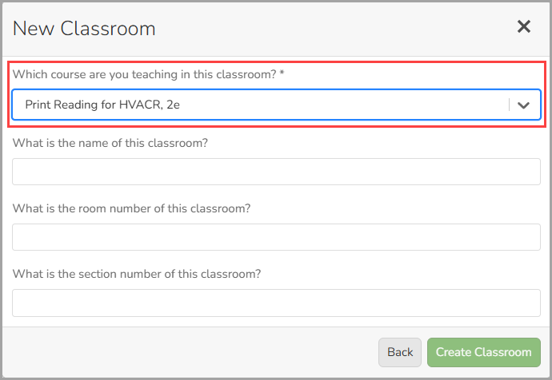
- From the drop down, select the course you will be using with your class.
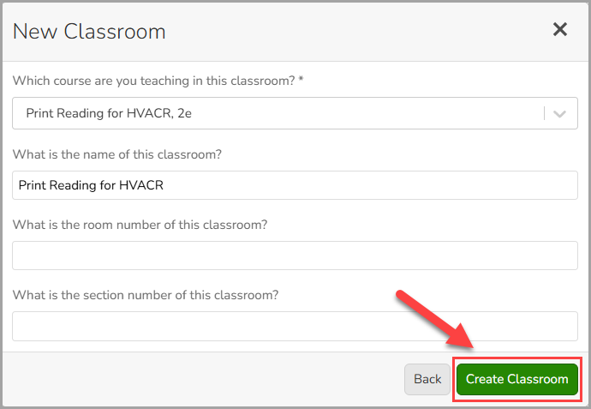
- Enter the name for your classroom then select the "Create Classroom" button. You can also add a room number and section or leave those fields blank.