

G-W Ignite Instructor: Rostering

Last updated: Jun 24, 2026
2630
views

How to Roster your students
-
Once your course is set-up, you can add students to the course. Select “Classes” from the navigation bar.

-
Select “Roster”.

-
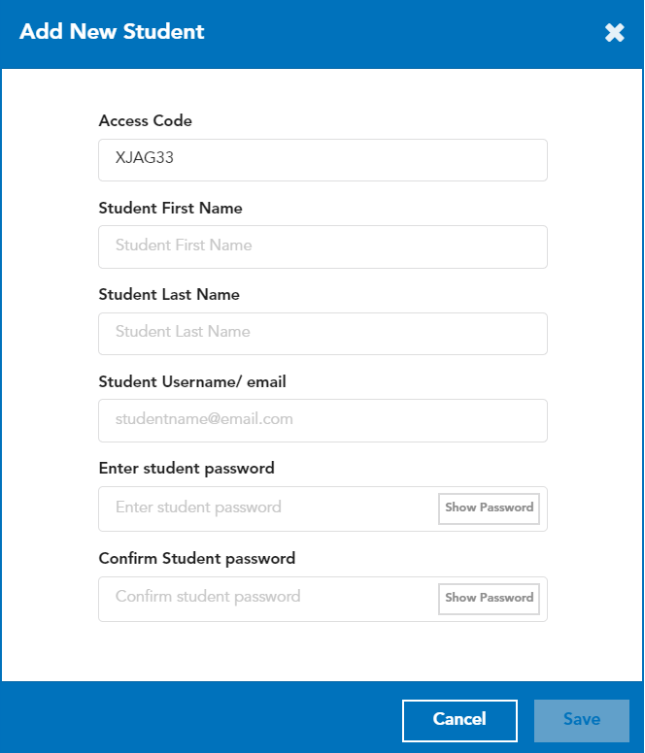
Select “+Add New Student” and input student information.

-
The access code will auto populate. You will need to enter the Student’s first/last name, email address, and password (this is a temporary password and will be changed by the student once they log in). Select “Save”.
-
You will need to give/email the students their log-in information in order for them to get access to the material.
Here is a link to assist students with logging in:
https://support.g-w.com/kb/article/267-g-w-ignite-student-how-to-log-in-directly-to-g-w-ignite/

