

Brightspace/D2L: Having LTI Links Open in New Window

Last updated: Oct 09, 2026
4155
views

Steps to Change G-W LTI Links to Open in a New Window
- Log in to your course and access the material you would like to have open in a new window.

- Navigate to the More Options menu and select "Edit" from the drop down menu.

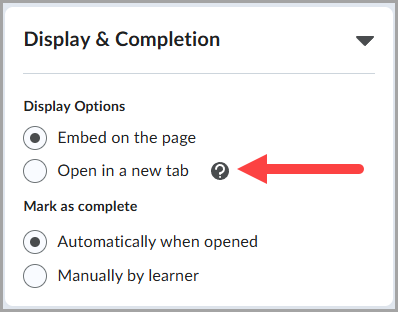
- Under the Display & Completion tab, change display options from "Embed on the page" to "Open in a new tab".
- Click the blue "Save and Close" button. You will now have the option to open the link in a new tab.

