

VitalSource eReader: CoachMe Feature

Last updated: Oct 09, 2026
9
views

The VitalSource eReader’s CoachMe is an AI-powered study coach that helps students assess their understanding as they progress through the eBook by providing practice questions and instant feedback.
To access the CoachMe feature:
- Select the CoachMe (
 ) button from the upper tray.
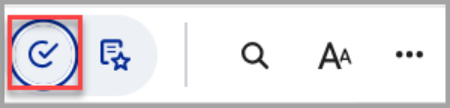
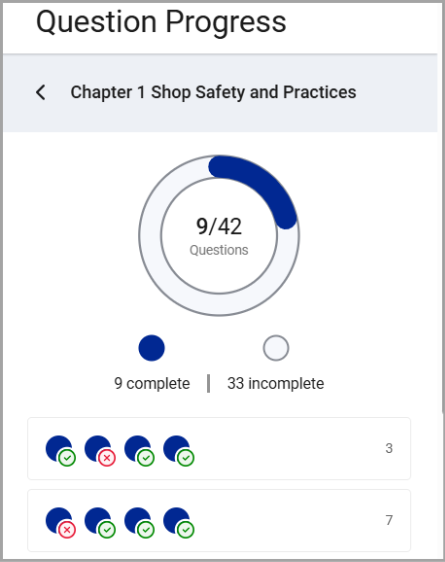
A sidebar to the right will appear showing your Question Progress organized by chapter.
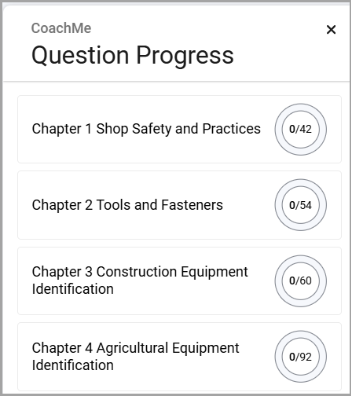
- Select the chapter you wish to practice and then choose one of the question progress bars to start your CoachMe session. The open circles represent the questions included in the session, and the number to the right indicates the eBook page number where the corresponding content can be reviewed.
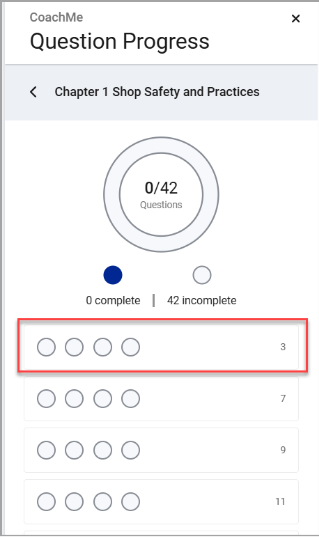
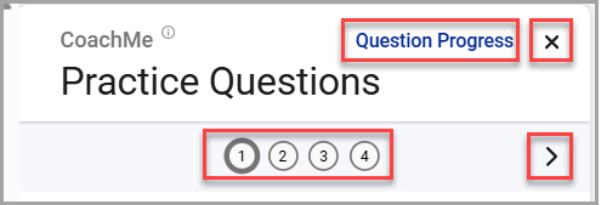
- To begin a practice section, select anywhere on the question progress bar. You will be automatically taken to the relevant page in the eReader, and the Practice Questions screen will open.
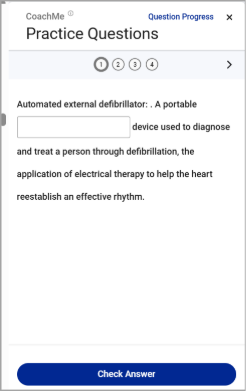
- Questions can come in a number of formats, including multiple choice, fill-in-the blank, or multiple selection. You can navigate to different questions within the practice section by selecting the question number directly or moving to the next question by selecting the > button.
Return to the Question Progress screen by selecting “Question Progress” or close the modal by selecting the X in the upper right-hand corner.
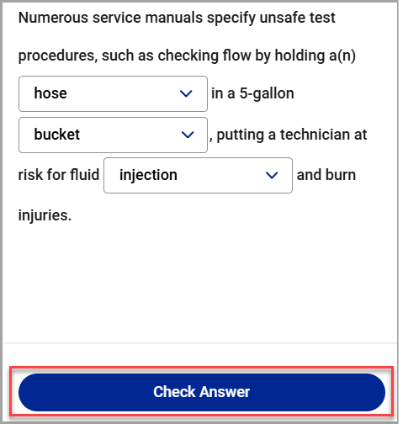
- After attempting a question, check your results by selecting the “Check Answer” button.
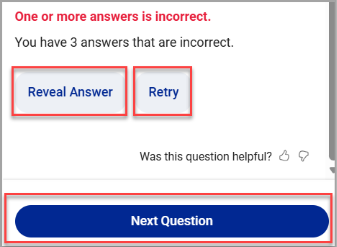
- If your answer is correct, you can select “Next Question” or "Done" to proceed with your practice section. If your answer is incorrect, you may select “Retry” to try again or select “Reveal Answer” to have the correct answer provided to you.
- After completing a question, your Question Progress screen will automatically update with your results. Correct answers will be marked with a green checkmark (
 ), while incorrect answers will be marked with a red x (
 ) and your overall progress will be updated.
- Practice sections can be attempted as many times as you wish, even after being completed. When re-attempting a question, your new score will automatically replace your old score upon completion.

